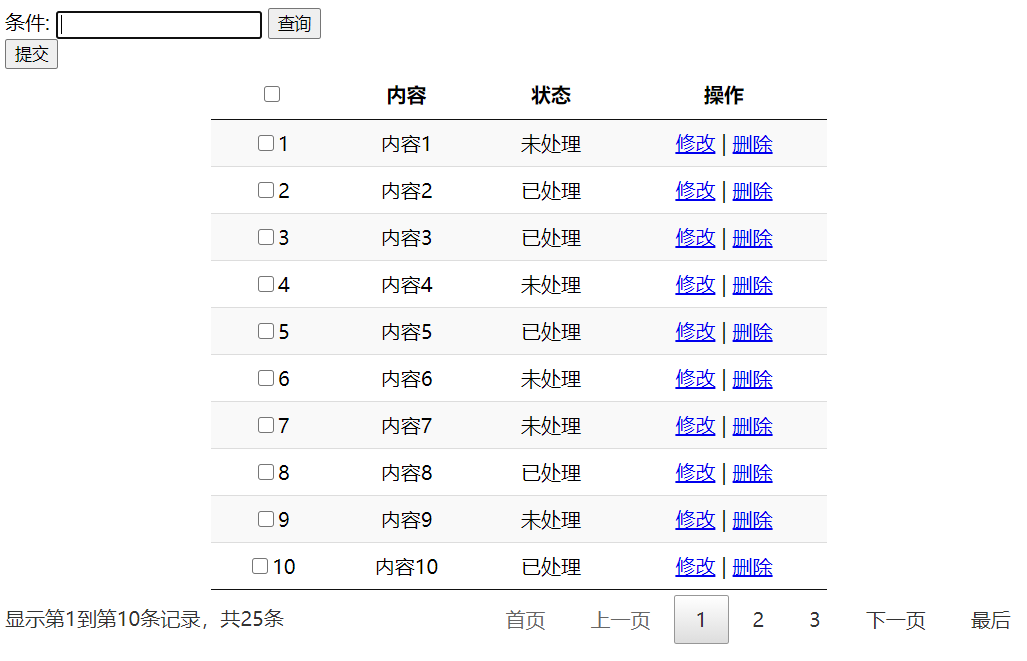
外观
Datatables 数据表格使用
jquery表格插件 API地址: API
实例:
HTML:
<link href="http://cdn.datatables.net/1.10.21/css/jquery.dataTables.min.css" rel="stylesheet" />

条件: <input id="ipt" />
<button type="button" onclick="Query()">查询</button>
<table id="table" class="display" style="width:60%;text-align: center;">
       <thead>
          <tr>
             <th><input id="ckbAll" type="checkbox" /></th>
             <th>内容</th>
             <th>状态</th>
             <th>操作</th>
           </tr>
    </thead>
   </table>
JS:
<script src="https://cdn.bootcdn.net/ajax/libs/jquery/3.5.1/jquery.js"></script>
<script src="http://cdn.datatables.net/1.10.21/js/jquery.dataTables.min.js"></script>
var tables = $('#table').DataTable({
"dom": '<"toolbar">frtip', //开启工具条 下面设置具体html内容
searching: false, //关闭自带搜索
paging: true,//开启表格分页
pageLength: 10, //每页条数
ordering: false, //启用排序
serverSide: true, //服务器模式,从后台加载数据 分页。默认是所有数据到前台 插件自动分页数据量太大时 不友好
ajax: {
type: "get",
url: "http://localhost:50454/values",
dataSrc: function (json) {
console.log(json);
return json.list;//指定返回数据源
},
data:{
content:$('#ipt').val() //查询条件 所有的参数都包含在地址栏中(分页,查询)
}
},
columns: [ //列数与html中的列严格对照、字段名。如有不对 无法显示
{
"data": "id",
"render": function (data, type, row, meta) {
return "<input type=\"checkbox\" id=" + data + " />"+data;
}
},
{ "data": "content" },
{
"data": "status",
"render": function (data, type, row, meta) {
return data==0 ? "已处理":"未处理";
}
},
{
"data": "remark",
"render": function (data, type, row, meta) {
return '<a href="javascript:void(0);" >修改</a> | ' +
'<a href="javascript:void(0);" >删除</a>';
}
}
],
language: {
paginate: {
previous: "上一页",
next: "下一页",
first: "首页",
last: "最后"
},
processing: true, //加载效果
zeroRecords: "没有内容",
info: '显示第_START_到第_END_条记录,共_TOTAL_条',
pagingType: "full_numbers"
//分页样式的类型 加上首页 末页
},
});
$("div.toolbar").html('<button type="button" >提交</button>'); //对于工具栏设置
var Query = function () {
let param = {
content:$('#ipt').val()
};
tables.settings()[0].ajax.data = param;
tables.ajax.reload(); //重新加载数据
}注: 开启服务器加载数据的模式(serverSide) 后 返回都是数据中需要带有2个总条数 才能正常分页
// iTotalRecords 、iTotalDisplayRecords

效果: