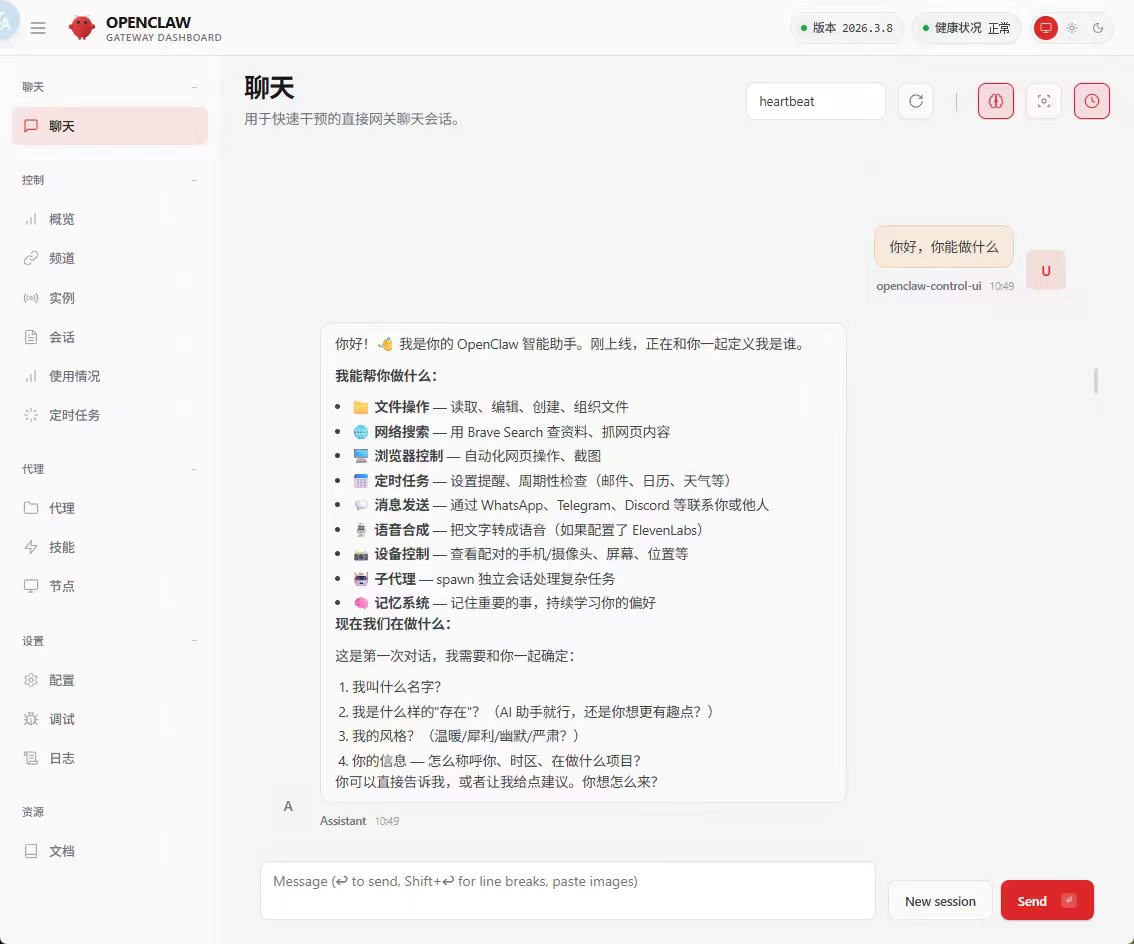
外观
养龙虾
Windows
安装WSL2
wsl --install #(管理员权限运行)
wsl --list --online
# 安装Ubuntu 22.04(推荐稳定版,也可换24.04)
wsl --install -d Ubuntu-22.04


wsl -l -v #确认版本 需要wsl2


#更新源
sudo cp /etc/apt/sources.list /etc/apt/sources.list.bak
# 替换为清华源
sudo sed -i "s@http://.*archive.ubuntu.com@https://mirrors.tuna.tsinghua.edu.cn@g" /etc/apt/sources.list
sudo sed -i "s@http://.*security.ubuntu.com@https://mirrors.tuna.tsinghua.edu.cn@g" /etc/apt/sources.list

#或者直接vi
deb https://mirrors.tuna.tsinghua.edu.cn/ubuntu/ jammy main restricted universe multiverse deb https://mirrors.tuna.tsinghua.edu.cn/ubuntu/ jammy-updates main restricted universe multiverse deb https://mirrors.tuna.tsinghua.edu.cn/ubuntu/ jammy-backports main restricted universe multiverse deb https://mirrors.tuna.tsinghua.edu.cn/ubuntu/ jammy-security main restricted universe multiverse

# 更新软件包列表
sudo apt update && sudo apt upgrade -y


#安装基础工具
sudo apt install -y curl git build-essential unzip zip
安装 node (version>22)
curl -fsSL https://deb.nodesource.com/setup_22.x | sudo -E bash -
sudo apt install -y nodejs

#查看安装成功否
wsluser@defang:~$ node --version
v22.22.1
wsluser@defang:~$ npm --version
10.9.4

#安装pnpm
sudo npm install -g pnpm
pnpm --version #10.32.1

#可选 环境变量 不行再用
echo 'export PATH=/usr/lib/node_modules/pnpm/bin:$PATH' >> ~/.bashrc
source ~/.bashrc


#切换pnpm源
# 切换为阿里云镜像
pnpm config set registry https://registry.npmmirror.com
# 验证源
pnpm config get registry #输出https://registry.npmmirror.com
安装openclaw
wsluser@defang:~$ curl -fsSL https://openclaw.ai/install.sh | bash

  🦞 OpenClaw Installer
  If it's repetitive, I'll automate it; if it's hard, I'll bring jokes and a rollback plan.

✓ Detected: linux

Install plan
OS: linux
Install method: npm
Requested version: latest

[1/3] Preparing environment
✓ Node.js v22.22.1 found
· Active Node.js: v22.22.1 (/usr/bin/node)
· Active npm: 10.9.4 (/usr/bin/npm)

[2/3] Installing OpenClaw
✓ Git already installed
· Configuring npm for user-local installs
✓ npm configured for user installs
· Installing OpenClaw v2026.3.8
✓ OpenClaw npm package installed
✓ OpenClaw installed

[3/3] Finalizing setup

! PATH missing npm global bin dir: /home/wsluser/.npm-global/bin
  This can make openclaw show as "command not found" in new terminals.
  Fix (zsh: ~/.zshrc, bash: ~/.bashrc):
    export PATH="/home/wsluser/.npm-global/bin:$PATH"

🦞 OpenClaw installed successfully (OpenClaw 2026.3.8 (3caab92))!
Ahh nice, I like it here. Got any snacks?

· Starting setup


🦞 OpenClaw 2026.3.8 (3caab92) — Less clicking, more shipping, fewer "where did that file go" moments.

▄▄▄▄▄▄▄▄▄▄▄▄▄▄▄▄▄▄▄▄▄▄▄▄▄▄▄▄▄▄▄▄▄▄▄▄▄▄▄▄▄▄▄▄▄▄▄▄▄▄▄▄
██░▄▄▄░██░▄▄░██░▄▄▄██░▀██░██░▄▄▀██░████░▄▄▀██░███░██
██░███░██░▀▀░██░▄▄▄██░█░█░██░█████░████░▀▀░██░█░█░██
██░▀▀▀░██░█████░▀▀▀██░██▄░██░▀▀▄██░▀▀░█░██░██▄▀▄▀▄██
▀▀▀▀▀▀▀▀▀▀▀▀▀▀▀▀▀▀▀▀▀▀▀▀▀▀▀▀▀▀▀▀▀▀▀▀▀▀▀▀▀▀▀▀▀▀▀▀▀▀▀▀
                  🦞 OPENCLAW 🦞

┌  OpenClaw onboarding
│
◇  Security ─────────────────────────────────────────────────────────────────────────────────╮
│                                                                                            │
│  Security warning — please read.                                                           │
│                                                                                            │
│  OpenClaw is a hobby project and still in beta. Expect sharp edges.                        │
│  By default, OpenClaw is a personal agent: one trusted operator boundary.                  │
│  This bot can read files and run actions if tools are enabled.                             │
│  A bad prompt can trick it into doing unsafe things.                                       │
│                                                                                            │
│  OpenClaw is not a hostile multi-tenant boundary by default.                               │
│  If multiple users can message one tool-enabled agent, they share that delegated tool      │
│  authority.                                                                                │
│                                                                                            │
│  If you’re not comfortable with security hardening and access control, don’t run           │
│  OpenClaw.                                                                                 │
│  Ask someone experienced to help before enabling tools or exposing it to the internet.     │
│                                                                                            │
│  Recommended baseline:                                                                     │
│  - Pairing/allowlists + mention gating.                                                    │
│  - Multi-user/shared inbox: split trust boundaries (separate gateway/credentials, ideally  │
│    separate OS users/hosts).                                                               │
│  - Sandbox + least-privilege tools.                                                        │
│  - Shared inboxes: isolate DM sessions (`session.dmScope: per-channel-peer`) and keep      │
│    tool access minimal.                                                                    │
│  - Keep secrets out of the agent’s reachable filesystem.                                   │
│  - Use the strongest available model for any bot with tools or untrusted inboxes.          │
│                                                                                            │
│  Run regularly:                                                                            │
│  openclaw security audit --deep                                                            │
│  openclaw security audit --fix                                                             │
│                                                                                            │
│  Must read: https://docs.openclaw.ai/gateway/security                                      │
│                                                                                            │
├────────────────────────────────────────────────────────────────────────────────────────────╯
│
◇  I understand this is personal-by-default and shared/multi-user use requires lock-down. Continue?
│  No


#如果上面那种方式不行 就使用:pnpm add -g openclaw


#如果有问题 根据提示来看 执行 openclaw setup 之类的


#重启Gateway即可
openclaw gateway --port 18789
配置
- 配置令牌 访问到ui之后,需要在 控制 => 概览 => 网关令牌 中输入
/home/wsluser/.openclaw/openclaw.json中的token - 配置模型
openclaw configure

openclaw plugins enable qwen-portal-auth